CreatorHub
WordPress theme for creators
Your whole creator brand.
One page.
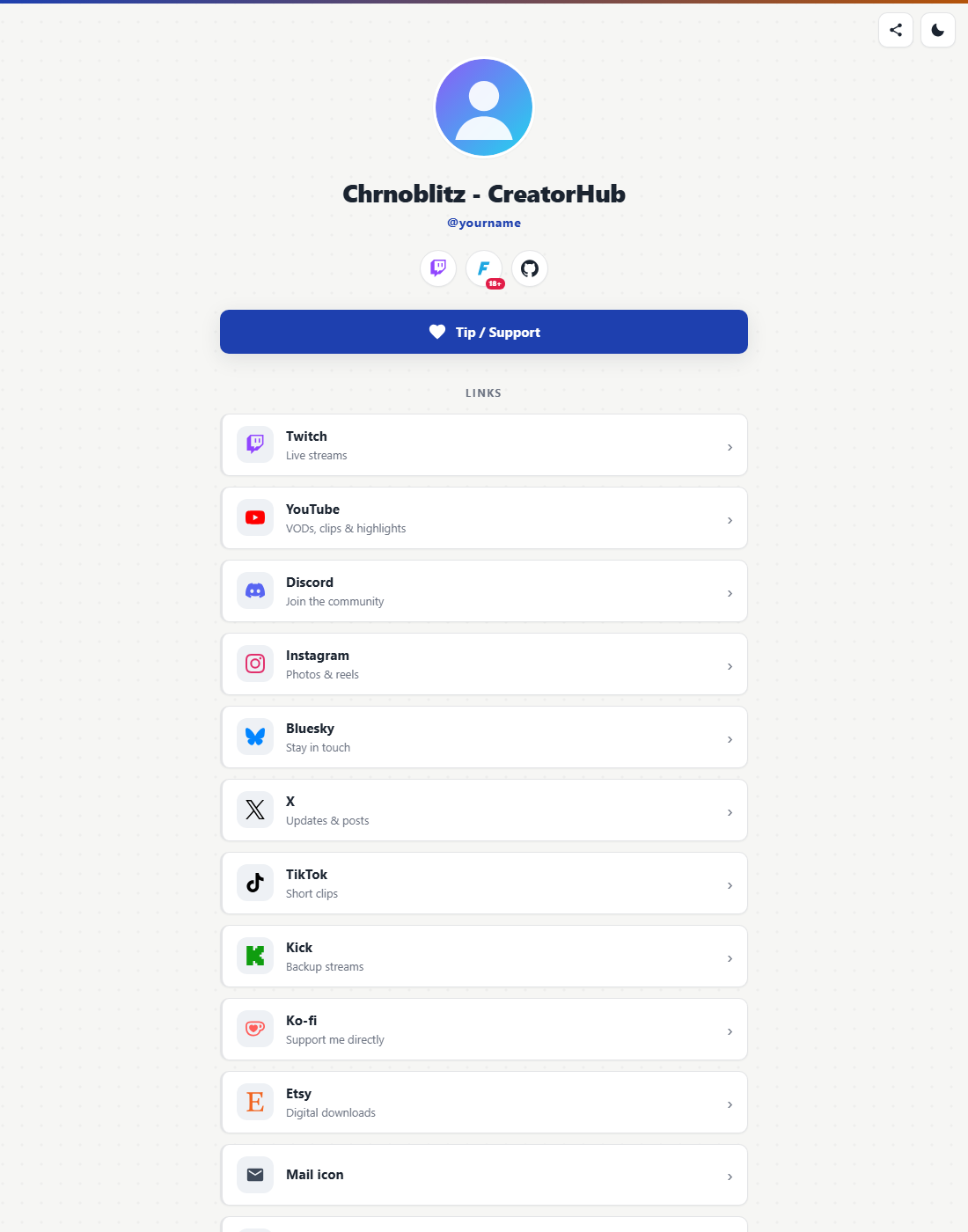
CreatorHub is a link-in-bio & media-kit theme that pulls your Twitch status, social metrics, Etsy shop, and sponsor slots into one beautiful page. Four selectable designs, zero page-builder bloat.
4full design skins
3backdrop patterns
3sites per license
0plugins required
Everything updates itself
Fill in your handles once; CreatorHub keeps the numbers, statuses, and products fresh on its own.
Live Twitch status
Online banner when you go live, stream schedule, and your last-played games with cover art pulled automatically from IGDB.
Self-updating metrics
Follower and subscriber counts for Twitch, YouTube, Instagram, Bluesky, Ko-fi, and more, plus a combined total-reach banner.
Etsy shop section
Your latest products with live prices, pulled straight from the Etsy API; pick how many to show.
Media kit tab
Stats, sponsor logo slots, "available for" services, and contact. Made to quickly send to brands as-is.
Dark mode + sharing
Remembers each visitor’s preference, and a one-tap share button puts your page anywhere.
Quest Log dashboard
Its own gaming-style admin panel: setup checklist, drag-to-reorder sections, link & social editors, and a live preview that repaints as you type — before you save.
Google Fonts + consent
Per-element Google Fonts (title, handle, link titles, descriptions) and a real cookie-consent manager that gates analytics and marketing scripts — including Site Kit via WP Consent API.
Zero clutter
Every section is optional. Anything you don’t fill in simply doesn’t render. Empty fields never leave scars.
Four designs in one theme
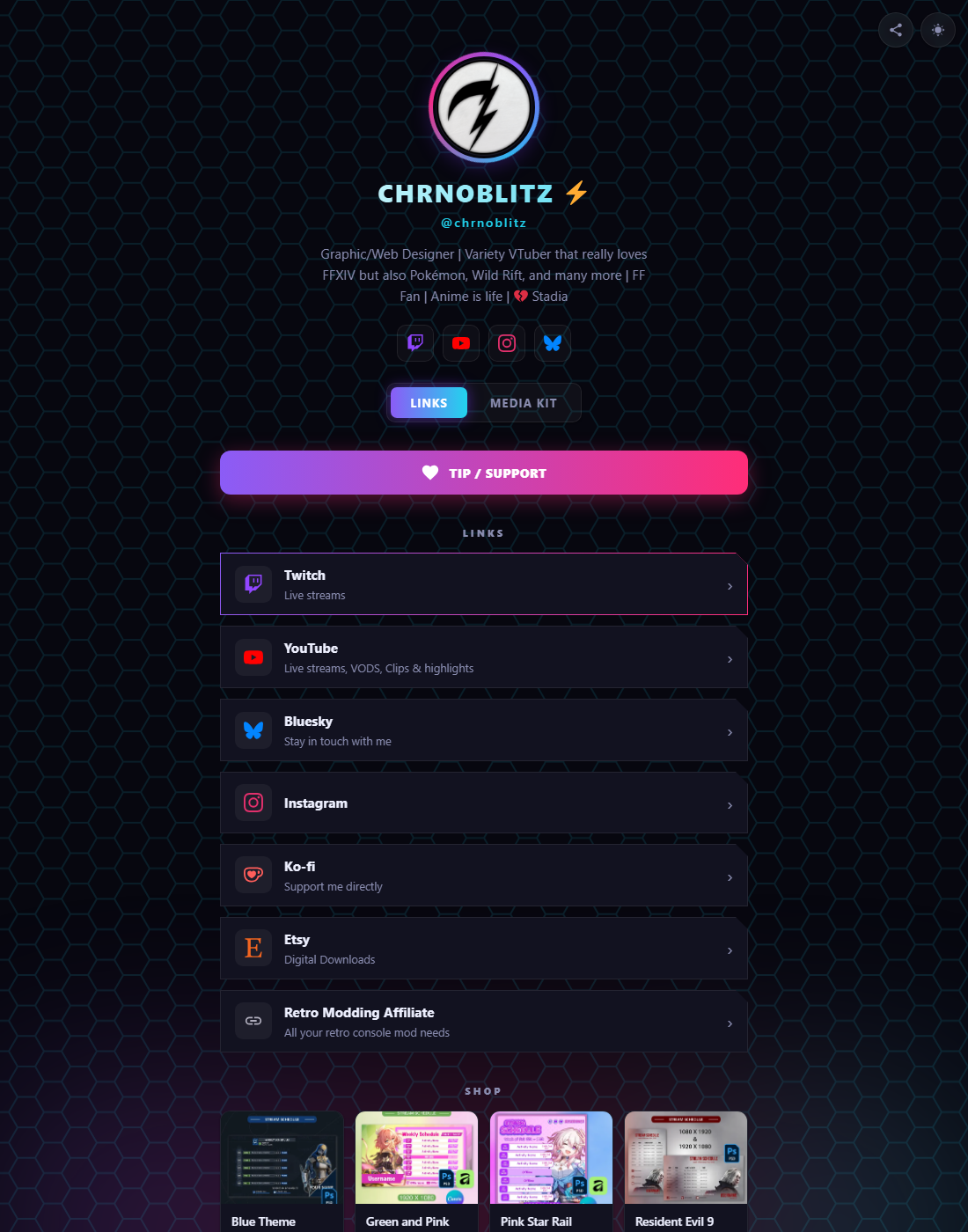
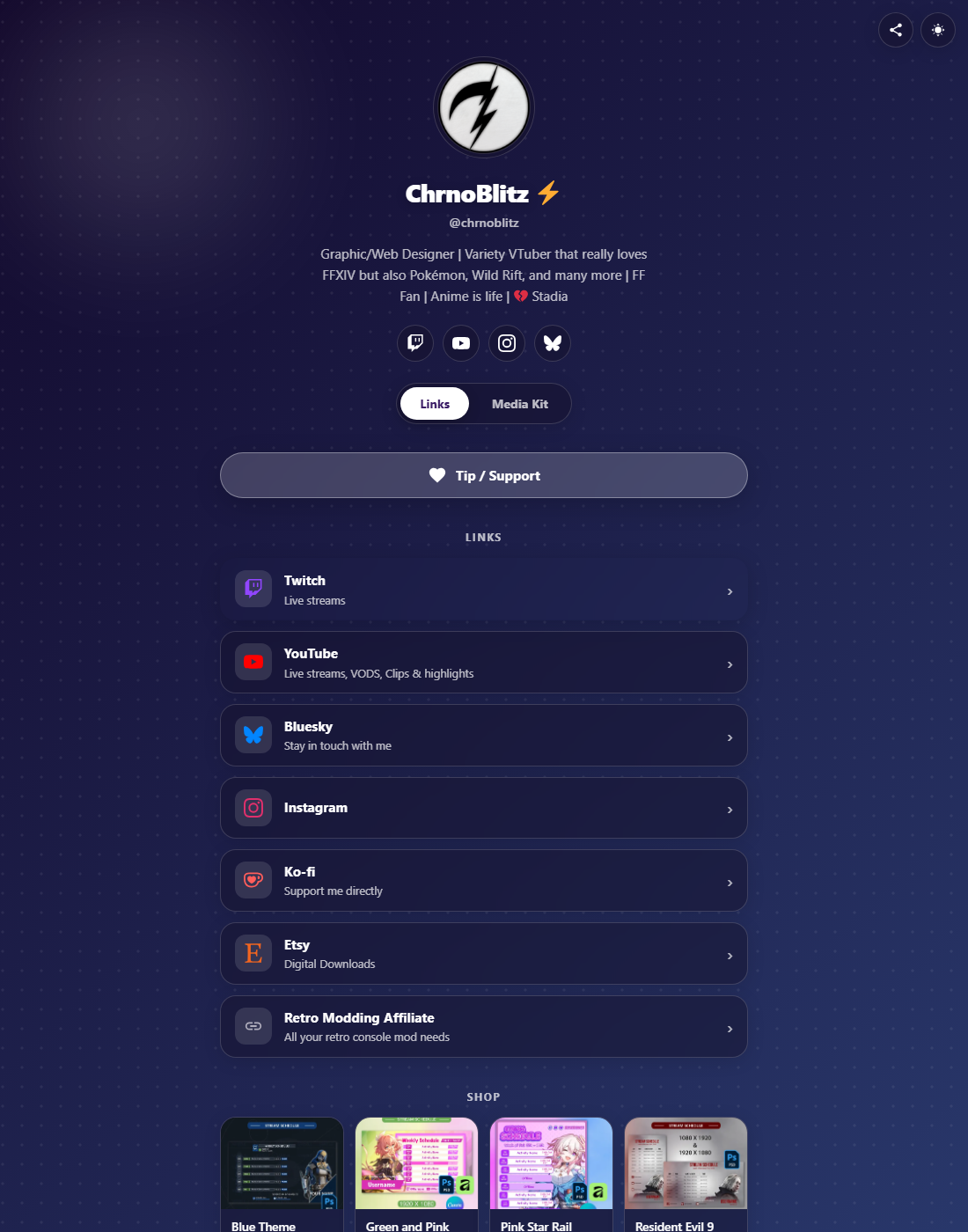
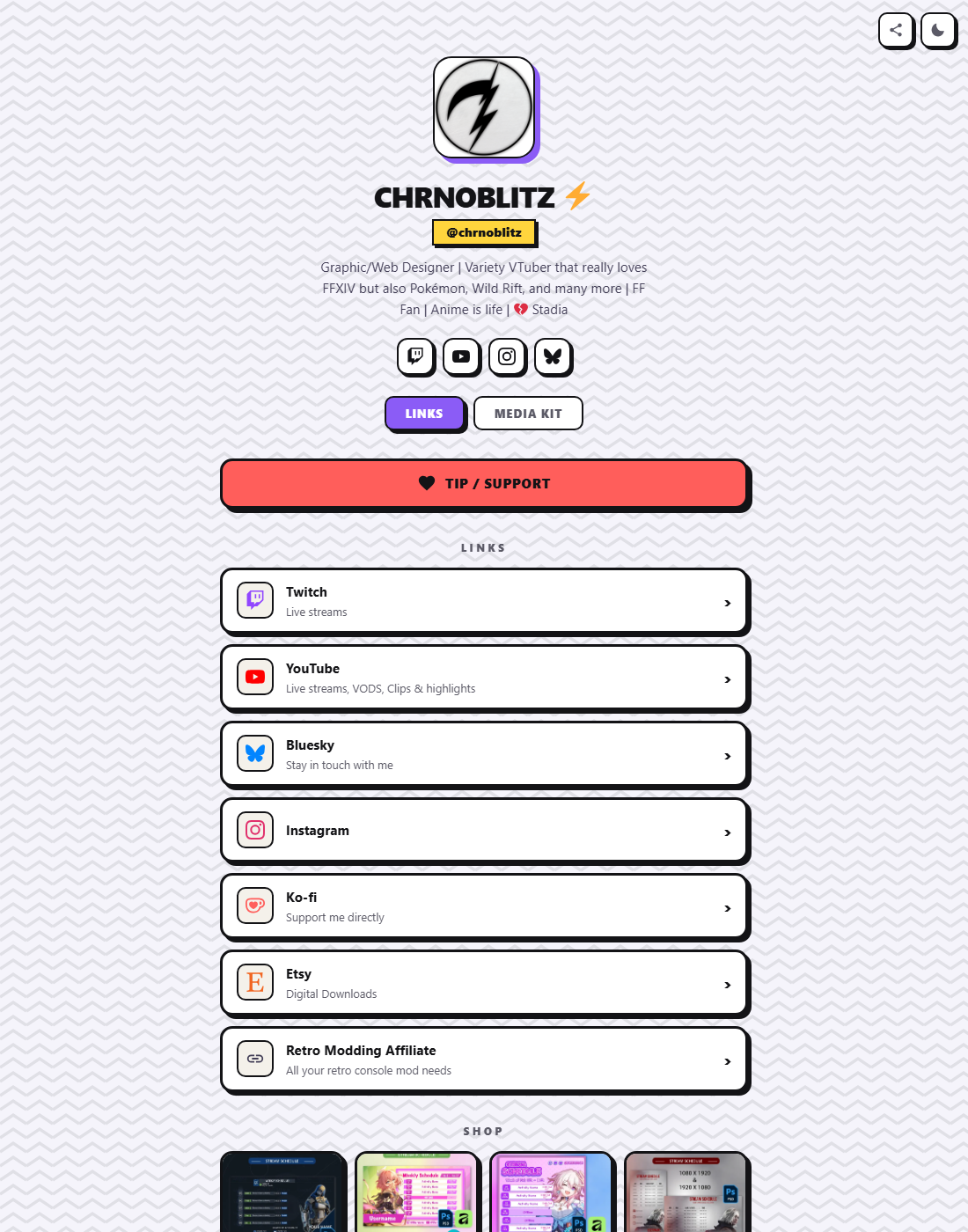
Pick a skin in the Customizer, then layer any backdrop pattern: hexagon lattice, dotted, or zigzag chevrons. You also get an adjustable strength slider.
Neon
Dark, glowing, streamer energy.
The night-shift look
Glass
Frosted panels over a soft gradient.
Clean and airy
Blocks
Bold borders, hard shadows, loud accents.
Unapologetically loud
Executive
Crisp letterhead cards on warm paper, navy + gold.
The professional
How buying works
1
Buy on Etsy
Purchase the digital download: you get the theme zip instantly, no waiting on us.
2
Your order number is your key
No license keys to juggle: the order number on your Etsy receipt activates the theme.
3
Activate up to 3 sites
Your main site, a test site, a side project — one purchase covers all three, with automatic updates.
Straight talk on support: your license includes theme updates, but not 1-on-1 setup help; the setup guide in the zip covers installation step by step. Bugs and feature ideas, though? Genuinely welcome! Use the form below to tell us what’s broken and what features may be needed.
Patch notes
What shipped in each release — licensed sites get every update automatically.
1.1.2Latest
- Quest Log dashboard — a gaming-style admin panel replaces digging through the Customizer: setup checklist, drag-to-reorder sections, and a live preview that repaints as you edit
- Links tab — manage Link Cards and Social Icons right in the dashboard: add/remove/drag rows, subtitles, icon picker, Featured + 18+ flags, animations. Still writes real WP menus underneath, so everything stays in sync
- Google Fonts — searchable per-element picker for site title, handle, link titles, and link descriptions; one-click reset to the default look
- Cookie consent manager — Accept / Reject / Customize banner that truly blocks analytics and marketing scripts until allowed; speaks WP Consent API so Site Kit’s Consent Mode honors it
- Accessibility pass — skip-to-content link, arrow-key tab navigation, age-gate focus trap, and auto-contrast text on accent-colored buttons
1.0.1
- New Executive skin — clean, professional letterhead design with a dark slate variant
- 50 link icons — Patreon, Throne, Amazon, Steam, itch.io, PayPal, Spotify, Substack, Reddit, Threads, Mastodon, Telegram, WhatsApp, Gumroad, GitHub, VGen, OnlyFans, Fansly, and more, all auto-detected from the URL
- Icon dropdown — pick any icon per link from the menu item settings; no CSS classes needed
- Featured + animation controls — a Featured checkbox and a Pulse / Glow / Shake animation dropdown on every link
- 18+ link flag — badge plus an age-confirmation step before the link opens; works on any link, stores nothing
- Faster card reveal on long link lists, and a fix for the Executive skin honoring the backdrop pattern picker
1.0.0Launch
Initial release: three skins (Neon, Glass, Blocks), menu-driven link cards and social icons, Twitch live status, media kit with auto-updating metrics, sponsors, games, tips, schedule, Etsy section, license-gated updates.
Questions, answered
The quick how-tos and honest answers, in one place.
How do I install the theme?
Appearance → Themes → Add New → Upload Theme, pick the zip from your Etsy download, then Activate. The setup guide inside the zip walks through every step.
How do I activate my license?
Your Etsy order number is your license key — it’s on your receipt. Go to Appearance → CreatorHub License, paste it in, hit Activate.
How many sites can I use it on?
Up to 3 sites per license. Each domain binds on activation, and you can manage them from the license screen.
Does the theme work without a key?
Yes — the code is GPL and runs without one. The key unlocks the theme options (skins, backdrop patterns, section controls) and enables automatic updates.
How do updates work?
Like any WordPress theme — a notice appears in your dashboard, you click update, done. Licensed sites check for new versions automatically.
How do I add links or edit their subtitles?
CreatorHub → Links tab — Link Cards and Social Icons are edited as drag-to-reorder rows with title, URL, subtitle, icon picker (or auto-detect from the URL), Featured and 18+ flags, and card animations. It writes real WordPress menus underneath, so the Customizer and Menus screens stay perfectly in sync if you ever open them.
How do I change the design?
CreatorHub → Design tab — pick Neon, Glass, Blocks, or Executive, set accent colors and per-element Google Fonts, and watch the live preview repaint before you save. (Appearance → Customize still works too — same settings either way.)
Where do I get API keys, and do I need them?
Every integration is optional — anything left blank simply doesn’t render. Keys go in Appearance → Customize:
- Twitch — channel name + a free Client ID/Secret from dev.twitch.tv (also powers game covers via IGDB)
- Etsy — a keystring from etsy.com/developers plus your shop name
- YouTube stats — a Data API key from the Google Cloud console
- X stats — a bearer token from developer.x.com
- Bluesky & Kick — no key at all, just your handle
Found a bug or have a feature idea?
Tell us in the form below — reports go straight to our tracker. We fix bugs and ship feature requests in updates when we can.
Report a bug or suggest a feature
Found something broken, or have an idea that would make CreatorHub better? Tell us here.
Thanks! Your report was received — a human reads every one.